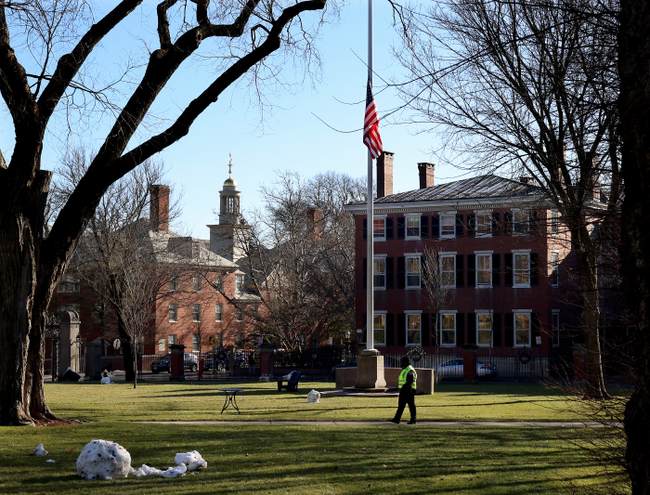


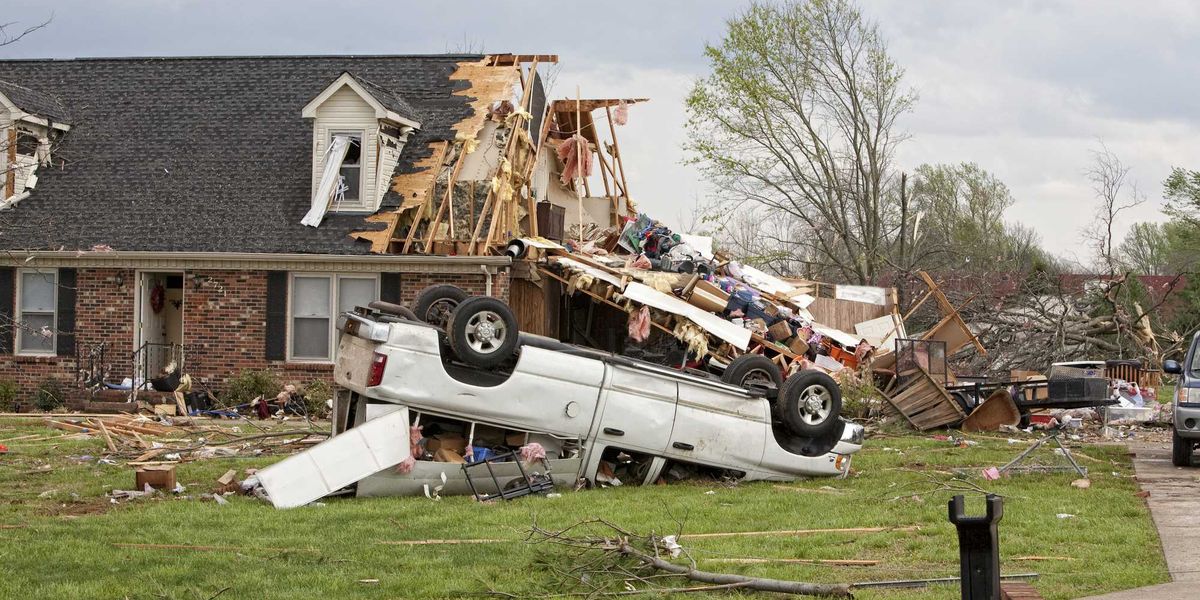

Storm season is here, and depending on where you live, you may have already seen some early strong thunderstorms, mild flooding, and even intense tornadoes. The best way to know what’s coming next is to track your local forecast with your smartphone. These are a few of our favorite free weather apps you need for iPhone and Android.
A few of our favorite weather apps
There are tons of weather apps on the App Store and Google Play, but they’re not all created equal: They offer varying types of information, their user interfaces are wildly different, and most importantly, they pull weather data from different sources, potentially leaving forecasts open to holes and inaccuracies. If you only use one weather app or tune into the same weather report on TV, you might have an incomplete picture of your local weather.
Having access to the best weather apps is only half the battle when a severe outbreak rolls through.
As the de facto “weather guy” in my own family, I use a combination of all of these to understand weather conditions as they unfold. The options below are all available for free with ads. If you want to remove the ads or unlock even more features, most of these offer recurring subscriptions. For the sake of accessibility, though, we’re only dealing with the free versions today.
The Weather Channel app
The Weather Channel app is one of the earliest apps on the App Store, launching just several months after Apple opened its digital storefront to developers back in 2008. Although the Weather Channel has gone through several major redesigns, it remains one of the most accurate and reliable weather apps available. It’s especially good at predicting daily and weekly forecasts. The live radar is easy to read as storms move through. The severe outlook map layer is a handy way to see if your region is at risk of severe weather. Lastly, real-time precipitation notifications with lightning alerts let you know exactly when rain is about to start, whether it’s just a light shower or something much more severe.
Screenshots by Zach Laidlaw / The Weather Channel
AccuWeather app
AccuWeather is another weather solution that’s been around for ages. Getting its start all the way back in 1962, its service is trusted by local TV and radio stations from coast to coast. As for the app, the hourly precipitation estimator, Minutecast, is a great way to know if any rain is expected within the next hour, making it easier to shore up outdoor plans. The radar filters are especially useful, with multiple views to display live radar, temperature, and cloud cover. My personal favorite feature, though, is the government-issued event map, which shows distinct colored zones for watches and warnings, just like on TV.
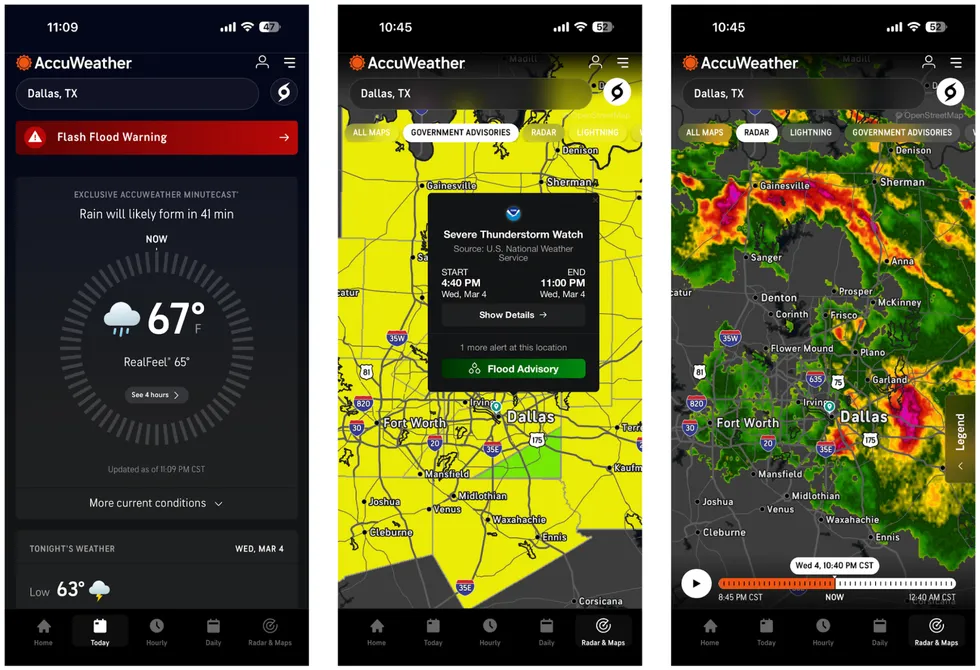 Screenshots by Zach Laidlaw / AccuWeather
Weather Underground app
Although not as much of a household name as the first two, Weather Underground has spent the last 30 years building its reputation as a hyper-local weather forecasting service. The app wraps all the usual weather metrics into a beautiful modern design. The reason I keep it in my collection, though, is for the map data, more specifically storm tracks. Unlike some other apps that lock storm tracks behind a paywall, Weather Underground offers it for free. Once enabled, storm tracks lets you see granular radar-indicated information about every storm, including the path of each storm cell, its intensity markers, and overall threat level (tornado impact, hail risk, damaging wind, and more). These tracks can make the difference between knowing if a tornado is aimed for your home or expected to miss.
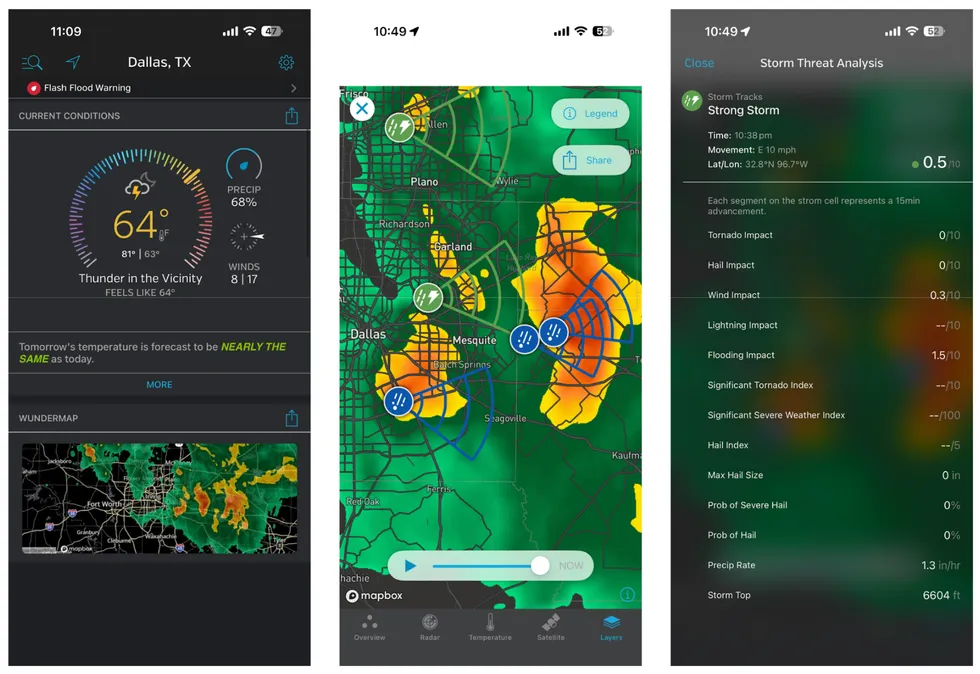 Screenshots by Zach Laidlaw / Weather Underground
Native weather apps
If all else fails, your phone comes with a built-in weather-tracking option that will get the job done.
Users of iPhones get instant access to Apple Weather. While Apple used to rely heavily on the Weather Channel for its data, its acquisition of hyper-local weather phenom Dark Sky back in 2020 gave Apple the first-party edge it needed to make its weather app essential. It includes granular hourly rain alerts, severe weather notifications, and Apple News integration that displays weather-related stories from local stations and mainstream outlets.
RELATED: New hack poses biggest iPhone threat in 19 years: What you can do
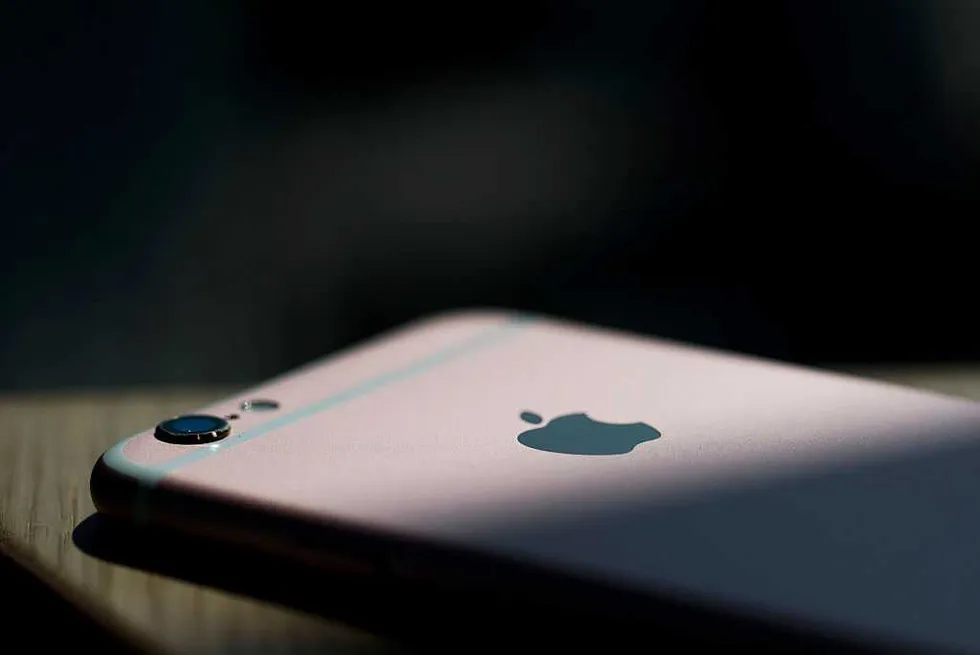 Xaume Olleros/Bloomberg via Getty Images
The big place where Apple Weather falls short, in my opinion, is the lackluster radar that only highlights minimal precipitation, and that’s about it. I’ve also encountered some inaccuracies with incorrect rain alerts, but your experience may vary. Overall, Apple Weather offers a good baseline for tracking conditions in your area.
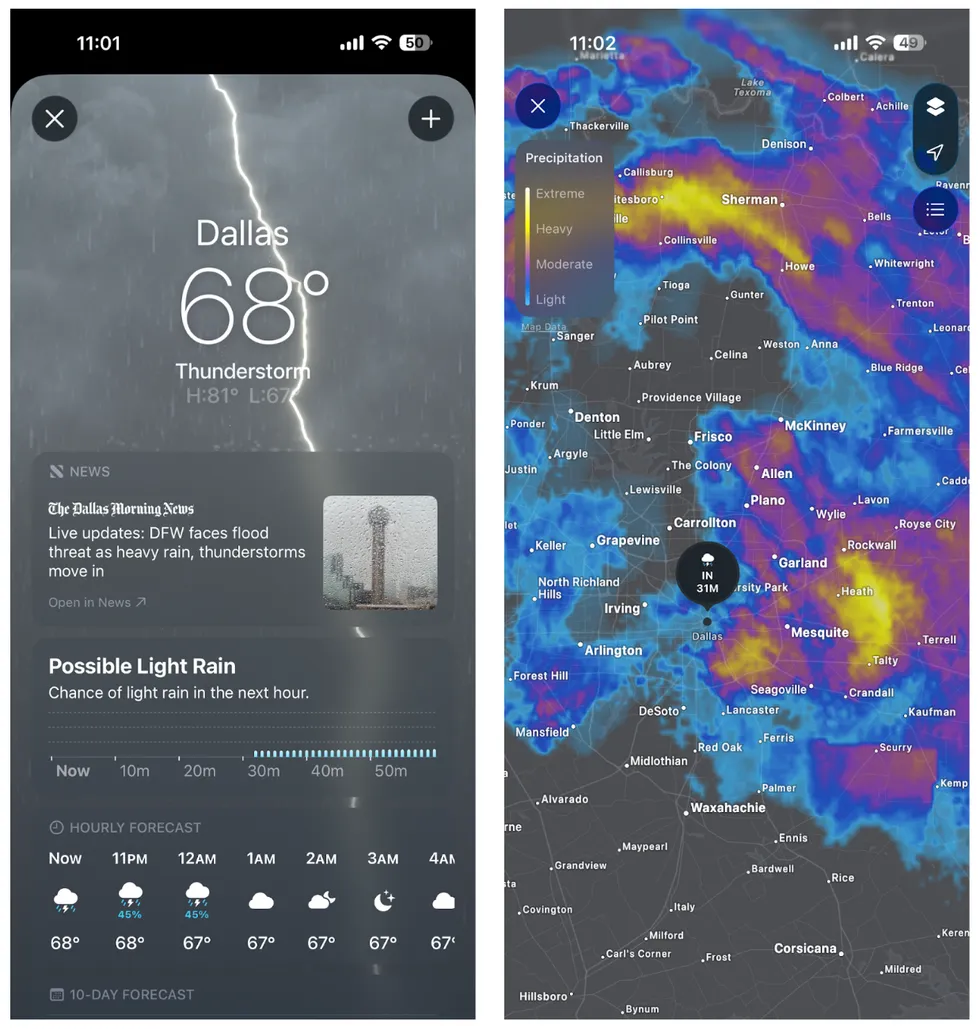 Screenshots by Zach Laidlaw / Apple Weather
Samsung Galaxy phones come with Samsung Weather. The app offers a clean look at hourly forecasts, air quality, and other typical weather metrics. At its core, though, the app is just a wrapper for the Weather Channel, which powers Samsung Weather’s entire data portfolio. In fact, if you click on any of the data points in the app for more information, you’ll be redirected to a web app for the Weather Channel, which is, unfortunately, not nearly as good as the main Weather Channel app. If you own a Samsung phone, you may as well just download the former for a better experience.
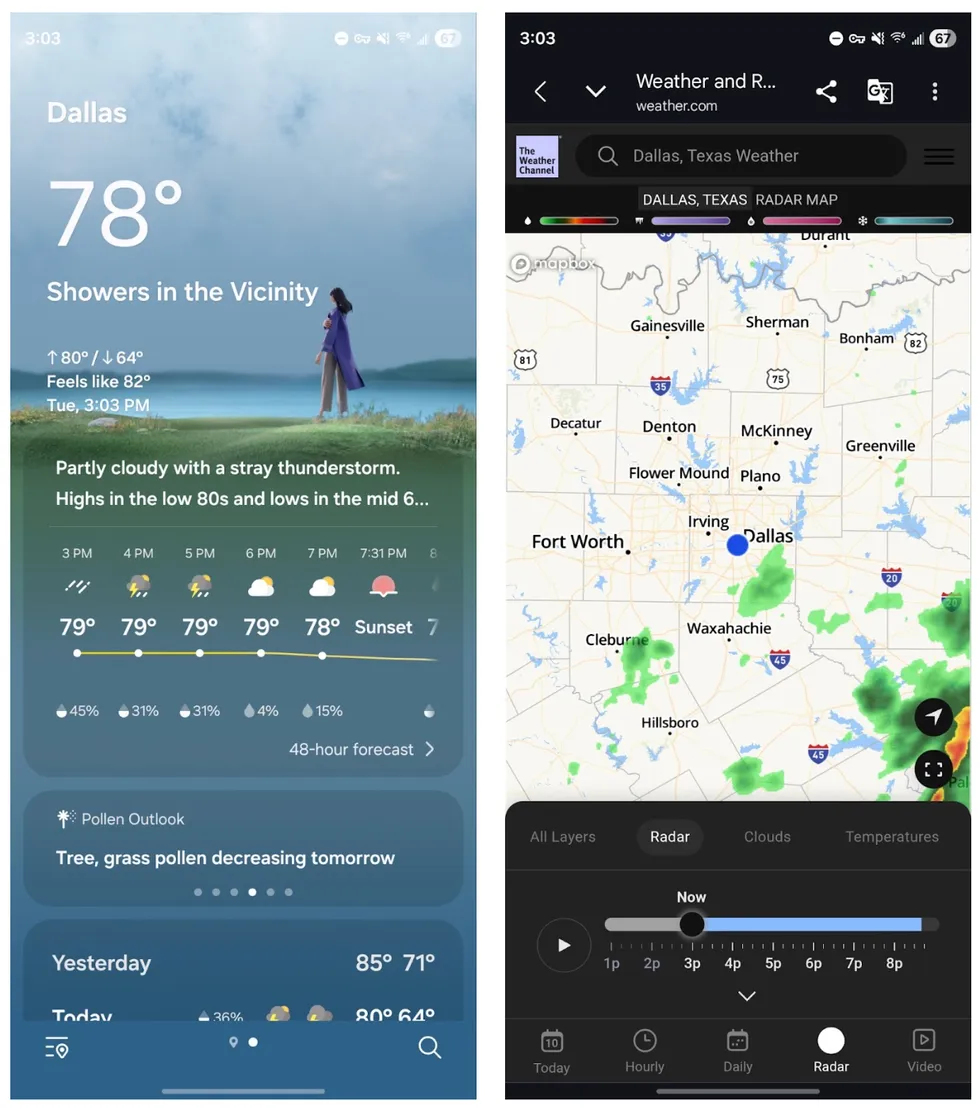 Screenshots by Zach Laidlaw / Samsung Weather
Google Pixel users get exclusive access to Pixel Weather. Powered by Gemini Nano, Pixel Weather is an AI-first weather app that offers generated weather reports that summarize expected weather conditions, weather insights that let you know what kind of weather event is coming your way, plus daily forecasts, air quality, and a radar that is slightly more useful than the one in Apple Weather. While the look and feel of Pixel Weather is modern on the surface, its overall accuracy — at least regarding the snow estimates of the recent Midwest and East Coast blizzards — has been called into question.
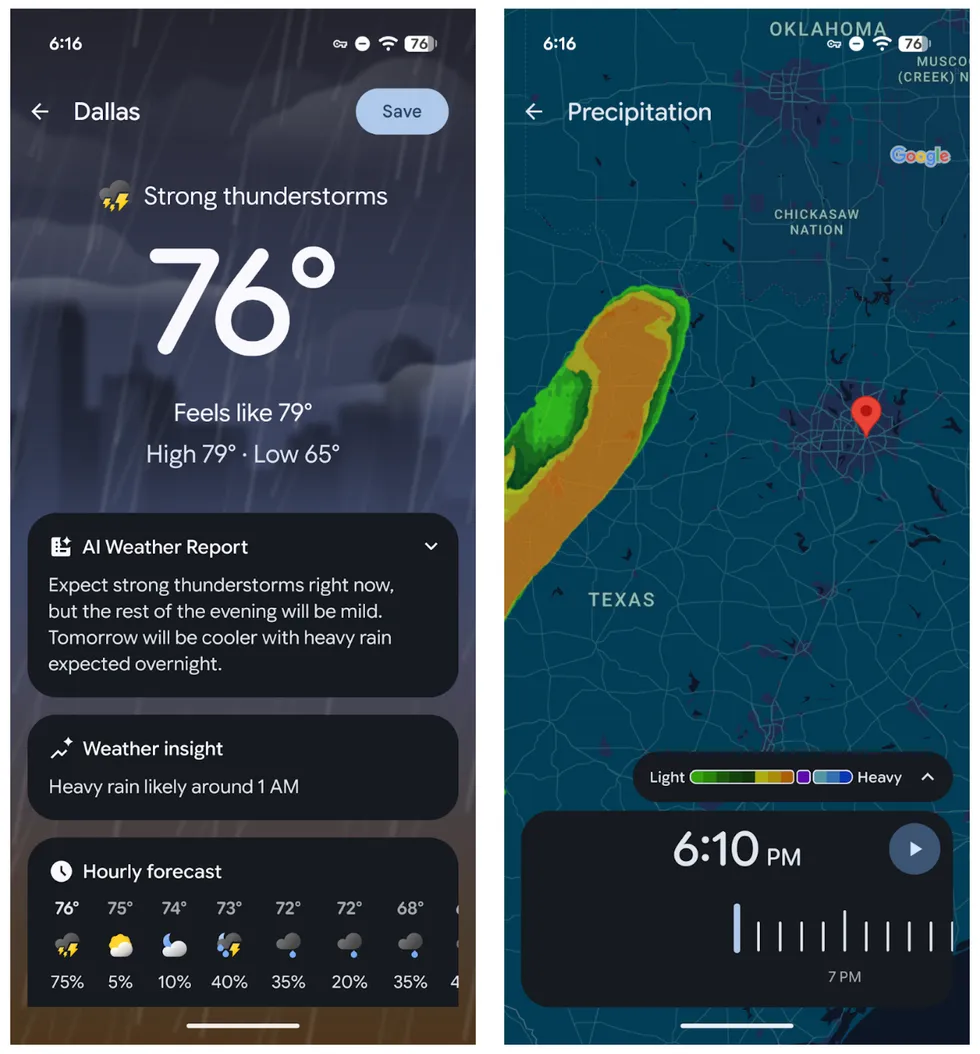 Screenshots by Zach Laidlaw / Pixel Weather
Stay safe with emergency alerts
Having access to the best weather apps is only half the battle when a severe outbreak rolls through. You also need a lifeline to let you know when bad weather is on the way. Luckily, all major smartphones support government-issued alerts to tell you when to take cover. Check your settings now to make sure you’re all set up when the next major storm strikes:
- iPhone: Open the Settings app and tap “Notifications.” At the very bottom of the page, check “Emergency Alerts” and “Public Safety Alerts.”
- Samsung Galaxy: Open the Settings app. Tap on “Notifications,” followed by “Advanced settings,” and then “Wireless emergency alerts.” From here, make sure “Extreme threats” and “Severe threats” are toggled on.
- Google Pixel: Open the Settings app. Select “Notifications” and then “Wireless emergency alerts.” On this page, toggle the switches for “Allow Alerts,” “Extreme threats,” and “Severe threats.”
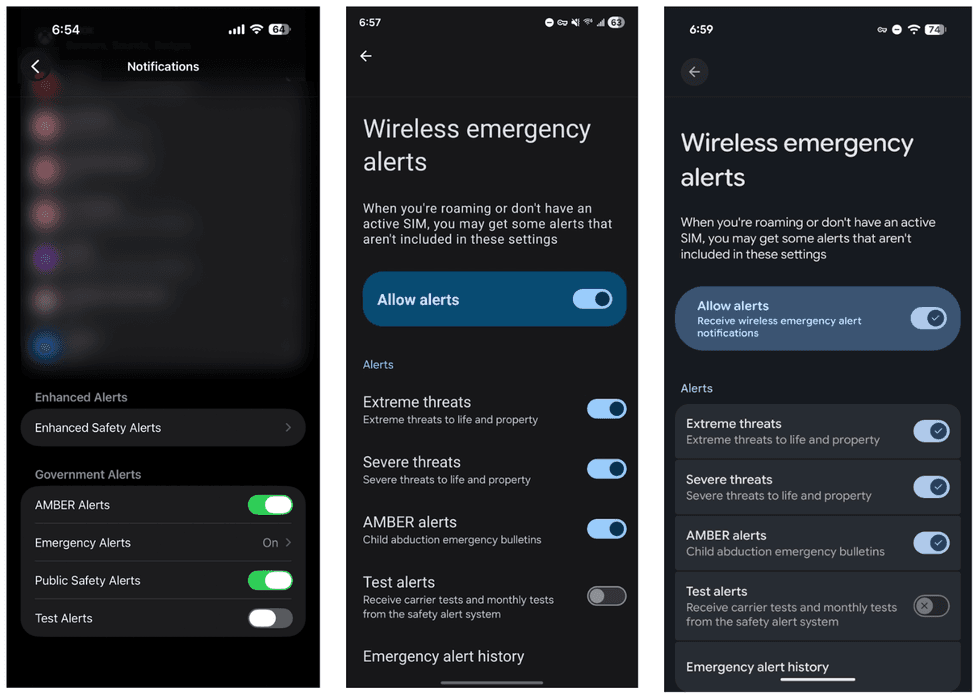 Screenshots by Zach Laidlaw / Apple iPhone, Samsung Galaxy, Google Pixel
Severe weather can develop fast as we shift into spring, but you don’t have to live life in the dark. All it takes is a few apps and alerts to get all the information needed to keep you and your loved ones safe.
Read the full article here

![Independent Journalist Exposes $170M California Fraud, Newsom Responds by Attacking Him [WATCH]](https://www.lifezette.com/wp-content/uploads/2025/08/2025.08.21-09.20-lifezette-68a6e4f435826.jpg "Independent Journalist Exposes $170M California Fraud, Newsom Responds by Attacking Him [WATCH]")